To view and manage the number of channels that are activated for a specific service, login to the Atomic portal and navigate to Services > Voice and click on the Manage button for the Service you want to manage.
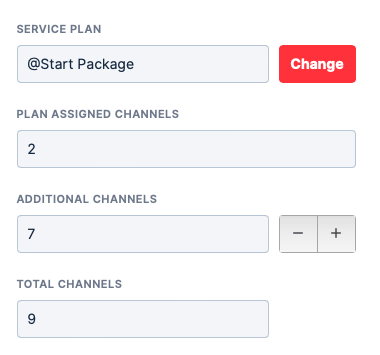
You can add or remove channels for a specific account by changing the 'Additional Channels' to the desired number of channels. The total number of channels for the account will be determined by 'Plan Assigned Channels' + 'Additional Channels'. You can view the total channels in your Accounts page.
You are unable to change the 'Plan Assigned Channels' as that is the base number of channels that comes with the assigned Service Plan.
In the 'Additional Channels' field, enter the number of channels you would like to assign to the customer on top of the already assigned by the selected Service Plan. In the image below, this would mean assigning the customer a total of 15 channels.